Store screenshots in every language your app ships.
One English Maestro flow, every language, iOS and Android. shotfleet captures them all and checks every screenshot.
You’re on the list. I’ll email you once, when it’s ready.
Thanks, that helps me decide what to build next.
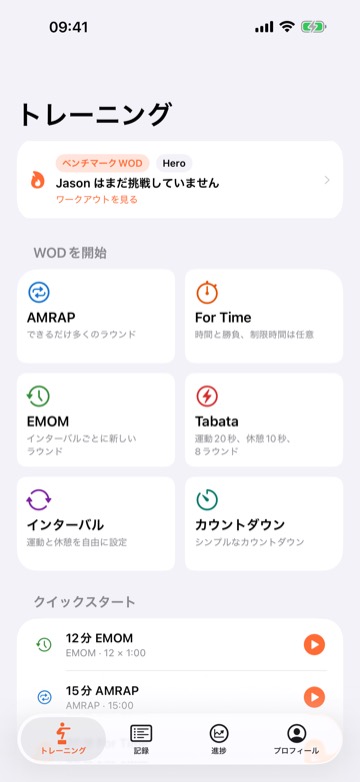
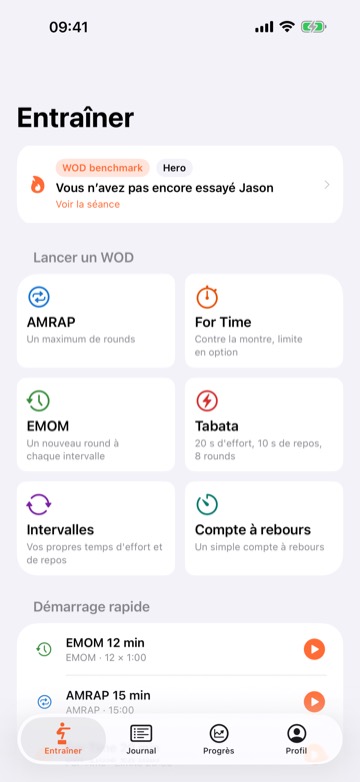
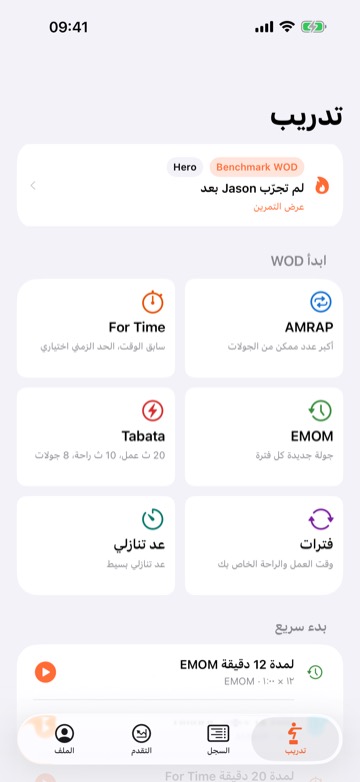
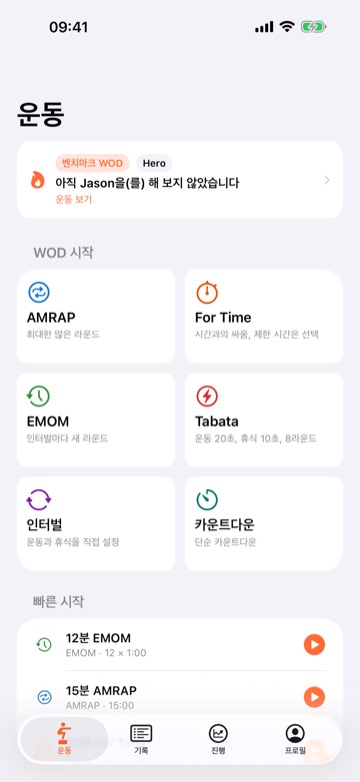
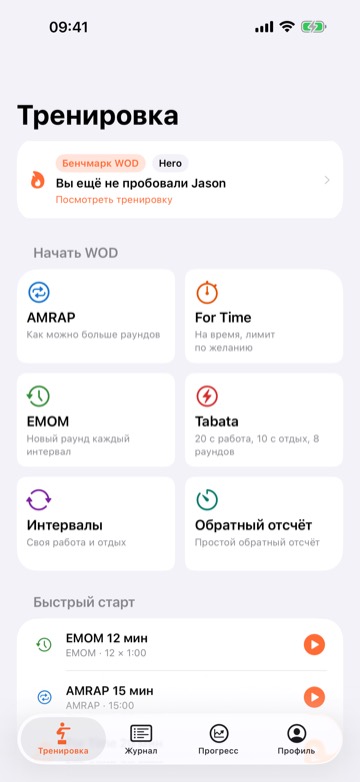
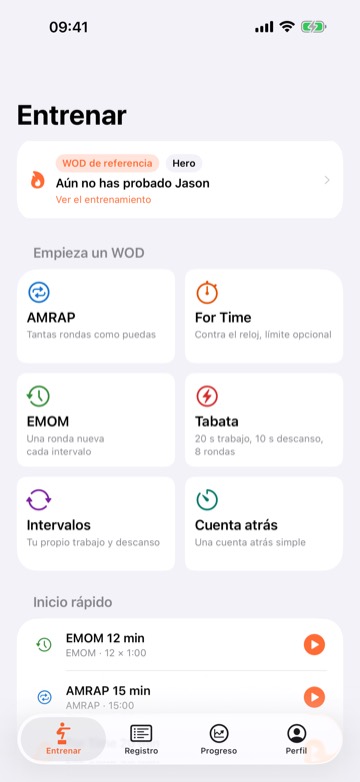
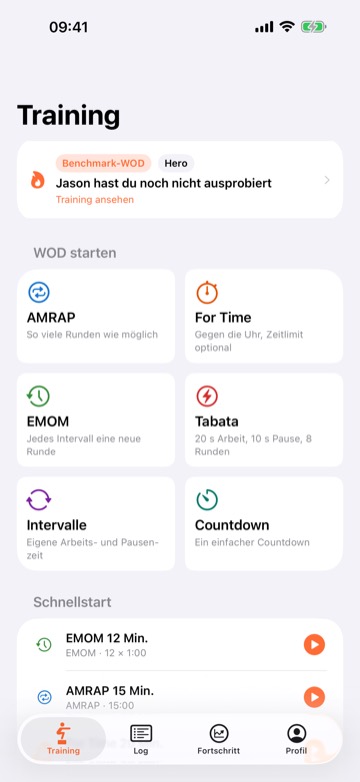
+11
more languages in the same runSeven of 72 screenshots from one run on my app, WOD Tracker: 18 languages × 4 screens on an M1 Pro. Nothing in the app was changed to get them. shotfleet runs on your Mac, and your app and screenshots are never uploaded.
- 18 × 4
- languages times screens in one run: 72 screenshots, one English flow, one Mac
- 9 min · 15 min
- for that run on iOS and on Android
- 4 languages
- shared one unreachable Next button on Android. English hid it
- 108 problems
- found by
shotfleet checkin 120 store screenshots of another of my apps: translated captions over an English UI
Measured on my own apps. How it compares with other tools.
Run it once. Read the result.
18 languages × 4 screens took 9 minutes on iOS and 15 on Android, on one Mac. Every image is read back and compared with your app’s own strings.
Then one command puts the passing screenshots into fastlane’s folders.
The first run found a button nobody could reach.
On Android, Japanese, Korean, Chinese and Arabic all got stuck on one onboarding page: taller text, no scrolling, and Next below the bottom of a small phone. English fit, so nobody noticed.
It was a small fix in my app: I made two pages scroll.
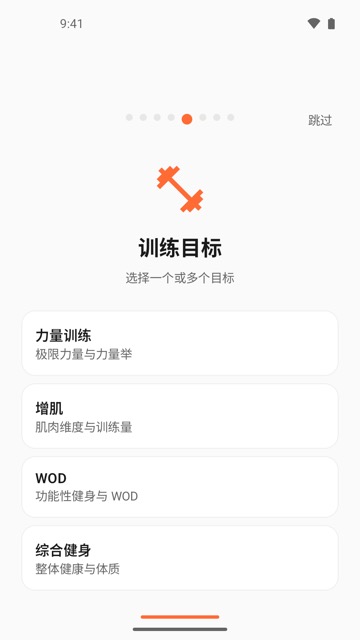
Your flow says Next. Each language gets its own word.
shotfleet reads the translations compiled into your build and rewrites every text selector. No copies of the flow, no changes to the app. When two words clash in a language, it warns you before anything runs.
- Your flow
- tapOn: "Next"
- German
- tapOn: '(Nächste|Weiter)'
- Japanese
- tapOn: '次へ'
- Turkish
- tapOn: 'İleri'Warning before the run: it also means "Advanced".
One flow, not eighteen.
Setup is one command and a two-line config. Your Maestro flow stays in English and is the only thing you maintain.
shotfleet.toml
[ios]
app = "MyApp.app"
iOS, Android and the other sizes.
Both platforms from one config and one flow, plus the sets the stores ask for.
Made to work with the rest.
shotfleet makes the correct raw screenshots. Frame and upload them with the tools you already use, then check the result.
The same screen, in the languages of my other apps.
I ship two other apps. These are their real store screenshots, not shotfleet output: one screen, five languages.
Not for you if…
- you don’t have an Apple silicon Mac. iOS simulators need a Mac, and so does the screenshot check; there is no Intel build yet.
- you want frames, captions or store upload. Use ButterKit or AppScreens for those; shotfleet works alongside them.
- your UI tests already run in every language and you are happy with them. fastlane snapshot is free and does that.
Early access
shotfleet isn’t released yet. Join the list and I’ll email you once, when it’s ready. It needs an Apple silicon Mac, Maestro and Java 17+. It reads native iOS and Android strings and Compose Multiplatform; Flutter and React Native work from your translation files (tested on real translation files; not yet run on a real Flutter or React Native app).
Licence
$29launch price, first 100 buyers
Then $49 once, per developer.
- Every language, both platforms, iPad and tablets, and export to fastlane
- Up to 3 of your Apple silicon Macs and your CI, unlimited apps
- A year of updates; after that your version keeps working while macOS and your tools allow
- 14-day refund. Licence and refunds
You’re on the list. I’ll email you once, when it’s ready.
Thanks, that helps me decide what to build next.
Free at launch
- Check any screenshots, from fastlane or by hand
- Capture up to 2 languages with
run - No account
$ shotfleet check fastlane/ --app MyApp.app